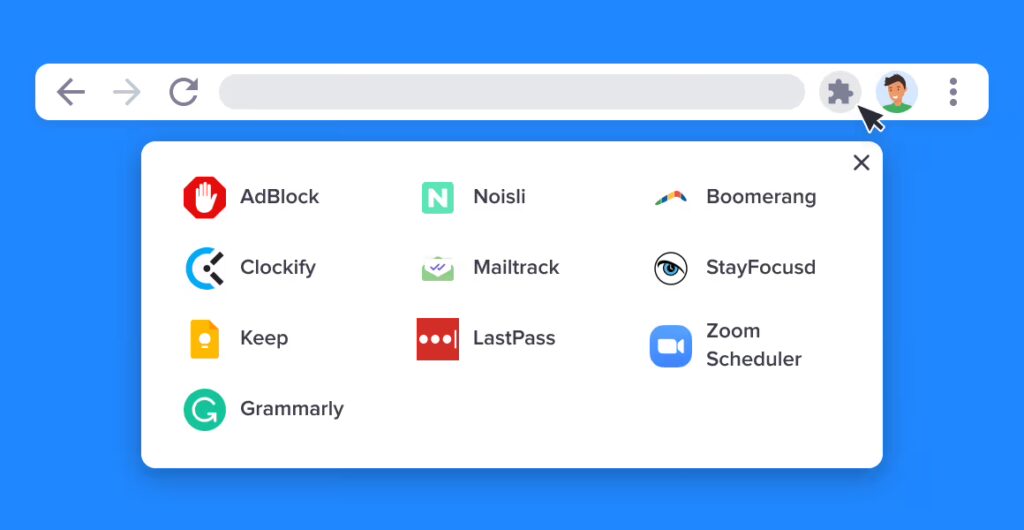
We use browser extensions for almost everything—from blocking annoying advertisements and tracking coupon codes to utilizing advanced AI writing assistants and real-time language translators. They are incredibly convenient, but they also represent one of the quietest, most overlooked security vulnerabilities in your daily digital life.
Because browser extensions integrate directly into your web navigating software, they often demand sweeping technical permissions. In the worst cases, a single malicious or compromised add-on can act as a silent keylogger, reading the sensitive content of every webpage you visit, capturing your personal communications, or tracking your exact location metrics.
If you haven’t audited your browser extensions recently, you are likely over-exposing your personal data. Here is how to audit your browser add-ons and strip away hidden privacy threats.
The Escalating Threat of AI and Utility Add-Ons
The browser extension threat landscape has shifted dramatically. Incogni’s latest privacy risk research reveals that the explosion of “AI-powered” tools—specifically programming aids, writing assistants, and translators—has introduced unprecedented data harvesting into consumer browsers.
According to their findings, website content and personally identifiable information are the two most commonly collected data types, harvested by roughly 31.4% and 29.2% of analyzed extensions respectively. Many of these tools require highly invasive background permissions that can easily be weaponized against you.
── The 3-Step Extension Privacy Audit ──
To protect your digital footprint, run this simple text-based security audit on your primary browser at least once a quarter:
Step 1: Identify and Purge the “Ghost” Extensions
Type the extensions management URL directly into your browser’s address bar (e.g., chrome://extensions for Chrome or about:addons for Firefox).
Look carefully at every single item on the list. If you see an extension that you haven’t actively used in the last 30 days, remove it immediately. Abandoned extensions are prime targets for cybercriminals, who frequently buy old, legitimate extensions from independent developers and quietly update them with malicious data-scraping scripts to exploit the existing user base.
Step 2: Decode the Danger of Broad Permissions
Click on the “Details” or “Permissions” tab for each remaining extension. Look specifically for these two high-risk technical privileges:
- “Read and change all your data on the websites you visit” (often utilizing the highly sensitive Scripting or ActiveTab backend code permissions). While necessary for ad-blockers, an AI writing tool or basic calculator should never have unrestricted authorization to view your bank statements, medical portals, or private messaging chains.
- “Access your location” or “Read your browsing history”. If an extension doesn’t fundamentally require your physical location or historical search data to function, revoke the access or uninstall the app entirely.
Step 3: Enforce the “On Click” Restriction Rule
For extensions you absolutely must keep but don’t trust implicitly, restrict their operational environment. In Chromium-based browsers, right-click the extension icon, navigate to “This Can Read and Change Site Data,” and change the setting from “On All Sites” to “When You Click the Extension.” This effectively quarantines the extension, keeping it completely blind to your browsing data until you explicitly activate it.
Where Does Your Harvested Extension Data Go?
When a compromised extension covertly scrapes your name, email address, physical location, or browsing habits, that information doesn’t just sit in a vacuum. It is regularly packaged, batched, and sold directly to commercial data brokers.
Data brokers are massive corporate aggregators that buy up fragmented pieces of your digital trail from browser leaks, public registries, and marketing lists to build highly detailed consumer dossiers. This data is then sold to advertisers, background checkers, and scammers looking to target you with highly sophisticated, AI-driven phishing attacks.
Locking down your browser extensions stops future leaks, but it doesn’t solve the damage that has already been done. To pull your historical data off the market, you have two choices:
- Spend dozens of hours manually tracking down hundreds of individual corporate websites to request data suppression.
- Put your back-end security on autopilot.
Reclaim Your Digital Identity Automatically
Instead of fighting a losing battle against the background data economy, you can deploy a dedicated privacy utility like Incogni to handle the heavy legal scrubbing for you.
Incogni acts as your continuous, automated digital defense agent. Backed by powerful global consumer privacy frameworks (like the CCPA and GDPR), Incogni automatically maps out which corporate entities possess your files and issues legally binding deletion demands to over 420 data brokers simultaneously.
- Continuous Shielding: Incogni doesn’t just run a one-time scan. It continuously re-audits these networks every few months to ensure that brokers don’t quietly recreate your profile using newly leaked data points.
- Mitigate Real-World Risk: By systematically flushing your phone number, location, and family records from search engines, Incogni dramatically cuts down on spam calls, identity theft risks, and online doxxing attempts.