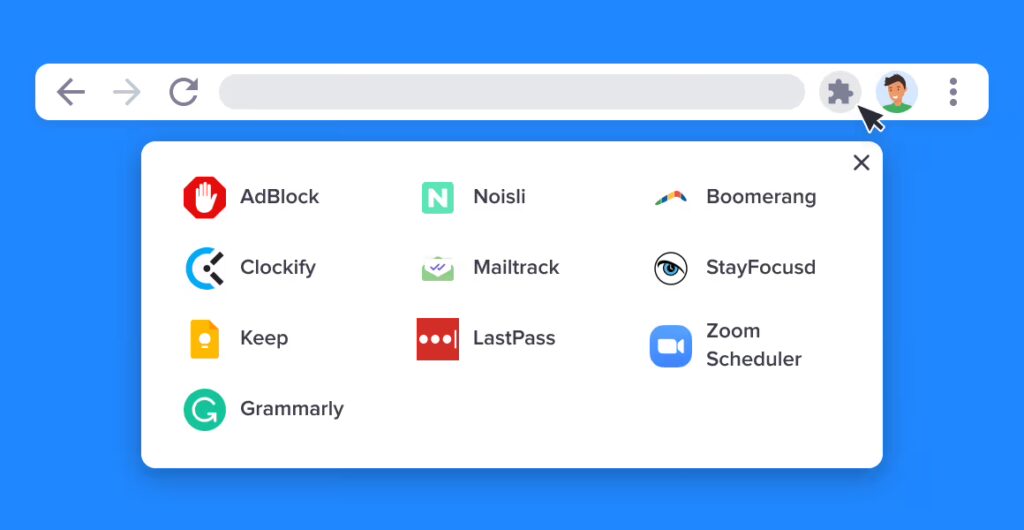
Over the last few years, artificial intelligence has seamlessly integrated into our daily workflows. Millions of us have installed “AI-powered” Chrome extensions, automated meeting transcribers, smart grammar checkers, and instantaneous web translators to speed up our daily tasks. They promise total efficiency—completely free of charge.
But as the old tech adage goes: If you aren’t paying for the product, you are the product.
A landmark 2026 privacy study analyzing hundreds of popular AI browser extensions revealed an alarming reality. The vast majority of these tools require highly invasive browser permissions that allow them to act as silent, legal spyware.
Here is a look into how your favorite AI productivity tools are quietly harvesting your digital identity, and how to plug the leak before your data hits the open broker market.
The Invasive Permissions You Blindly Approved
When you click “Add to Chrome” or “Install App,” a small popup asks for permissions. Most users skip reading this entirely. However, to function in real-time, many generative AI tools demand access to two incredibly dangerous browser landmarks:
1. The <all_urls> and “Read and Change Data” Permissions
This permission gives an extension the legal right to observe, modify, and log everything happening inside your active browser window. If you open your online banking portal, type an encrypted email, or fill out a health questionnaire while an extension with this permission is active, the tool can theoretically read and scrape those text fields.
2. “Scripting” and Keystroke Capture
Many AI writing and translation assistants use scripting permissions to inject third-party code directly into the websites you visit. This allows them to monitor cursor positions, scroll depths, and—most critically—keystroke logs.
From Your Screen to the Data Broker Pipeline
What happens to the information these AI companies gather? While some data is used legitimately to train large language models (LLMs), a massive portion of it enters the corporate data brokerage pipeline.
AI developers frequently supplement their revenue by packaging aggregate user behavior data into anonymized data packets. These packets map your IP address, geographic location coordinates, and search histories.
Corporate data brokers buy these packets, use automated machine learning algorithms to de-anonymize the files, and match your real-time browsing patterns straight to your real identity registry (your name, email address, and cell phone number).
How to Audit and Protect Your Browser Instantly
You don’t have to give up artificial intelligence entirely to protect your privacy, but you do need to actively police how these applications behave.
Step 1: SandBox Your Extension Access
By default, browser extensions run permanently in the background across every single website you open. You need to change this setting to an “On Click” basis immediately.
- In your browser, click the Extensions icon (the puzzle piece) and select Manage Extensions.
- Click details on any AI tool and find the “Site Access” landmark.
- Change the setting from “On all sites” to “On click” or “On specific sites.” This completely freezes the extension’s code until you explicitly click its icon to use it.
Step 2: Ditch the Translation and Transcription Traps
Incogni’s 2026 data analysis highlighted that AI translators and meeting assistants carry the highest overall privacy risks, frequently logging personal communication fragments and GPS location metadata. If you use an AI transcriber for work calls, ensure your company has a strict data processing agreement (DPA) with the provider, or switch to offline, local open-source models that execute entirely on your local machine’s hardware.
Cleaning Up the Back-End Trail
Enforcing strict browser sandboxing blocks these tools from stealing future data metrics from your machine. However, it does absolutely nothing about the tracking profiles that have already been generated and sold to background check platforms and consumer lists.
Once your telemetry and contact records are compiled by a data broker, they remain in circulation indefinitely, exposing you to an endless stream of targeted phishing texts, robocalls, and tracking profiling networks.
To scrub your historical footprint out of these tracking engines automatically, you need a dedicated back-end data suppression proxy.
Automate Your Full Privacy Recovery
Manually hunting down every digital ad network and background check machine that bought your scraped information is an impossible task. There are hundreds of data warehouses buying, cleaning, and trading consumer profiles around the clock.
The absolute cleanest way to sever this line is to utilize an automated, legally backed deletion engine like Incogni.
Operating as your proxy legal advocate under strict privacy frameworks like the CCPA and GDPR, Incogni automatically tracks which data networks, people-search websites, and risk profiling entities have built a file on you. It then pushes out legally binding data destruction directives to over 420 data brokers simultaneously.
- Continuous Monitoring: Data brokers regularly buy fresh data bundles from app developers and re-list previously cleared profiles. Incogni prevents this by running automatic diagnostic scans every 60 to 90 days to delete recurring files.
- Deloitte Verified: Unlike utilities that rely on vague promises, Incogni’s code and deletion protocols have been independently audited and verified by Deloitte, ensuring your opt-outs are legitimately sent and enforced.