• Skip to main content
  • Skip to primary sidebar

The Privacy Scout

Incogni vs. Optery: Automated Privacy vs. Detailed Proof

June 28, 2026 by theprivacyscout

When you look into personal data removal services, two names consistently dominate the conversation: Incogni and Optery. Both services are designed to scan the internet, locate your private information (like your home address, email, phone number, and relative maps), and issue opt-out requests to data brokers on your behalf.

Despite sharing the same core objective, these two platforms function entirely differently beneath the surface. One prioritizes background automation and expansive global database coverage, while the other emphasizes transparent, screenshot-verified proof of your digital exposure.

If you are trying to decide which service deserves your privacy budget, this head-to-head breakdown clarifies exactly how they match up across coverage, reporting, features, and cost.

Incogni vs. Optery: At a Glance

FeatureIncogniOptery
Primary ApproachFully automated background suppressionLink and screenshot-verified removal
Broker Coverage420+ brokers across all standard tiers110+ up to 615+ (locked behind price tiers)
Custom RemovalsAvailable (works on standard & custom sites)Available on top plans (people-search focused)
Verification MethodAutomated dashboard & Deloitte independent auditAutogenerated links & dashboard screenshots
Geographic AvailabilityUS, UK, Canada, and the European UnionPrimarily optimized for United States residents

The Core Difference: How They Track Exposure

The most fundamental split between Incogni and Optery lies in how they interact with data broker data trails.

The Optery Approach: Visual Proof

Optery operates with an emphasis on visual verification. When you scan your data using Optery, the system generates custom links to specific pages on people-search sites where it predicts your information is live. It then crawls those URLs, takes actual screenshots of the exposed data profiles, and displays them right on your dashboard. Once a removal request is completed, Optery runs another check to show you a “before and after” screenshot proving the profile is officially gone.

The Incogni Approach: Predict and Purge

Incogni takes a less visual, highly systematic approach. Instead of spending processing time scraping screenshots from public-facing web pages, Incogni evaluates your demographic profile against its internal database of known data-broker target models. It targets both visible people-search sites and invisible private backend brokers (like marketing lists, risk mitigation registries, and financial profilers) that don’t have public search bars. Incogni pushes out automated deletion directives immediately and uses a streamlined progress wheel to show you which requests are “Completed” or “In Progress”.

Breakdown of Key Features

1. Data Broker Network Depth

  • Incogni covers 420+ data brokers, and you get access to the full database regardless of whether you choose a monthly or annual plan. Crucially, Incogni spans several different distinct categories of aggregators, ensuring your name is pulled off recruiting databases, marketing lists, and risk mitigation profiles.
  • Optery offers a broader aggregate number of people-search listings—up to 615+ sites on its highest tier—but it heavily restricts this database behind escalating price walls. If you subscribe to their baseline paid plan, you only get protection against roughly 90 to 110 primary brokers. To get full coverage, you have to upgrade to their premium tiers.

2. Trust Verification & Audits

Because Incogni doesn’t provide screenshots of individual web profiles, they rely on a different metric to earn your confidence: independent validation. Incogni underwent a comprehensive independent assurance audit handled by Deloitte. This third-party evaluation analyzed Incogni’s software infrastructure, officially verifying that the system safely manages customer information and successfully delivers legitimate deletion commands to all 420+ brokers on its list.

3. Geographical Reach

If you live outside the United States, your choice is effectively made for you. Optery is heavily optimized for US residents and US-based people-search platforms. Incogni operates internationally, offering full automated support across the US, Canada, the UK, Switzerland, and the entire European Union under both CCPA and GDPR frameworks.

Price vs. Practical Value

When it comes to your wallet, the services structure their pricing models very differently:

  • Incogni keeps things simple. It costs around $7.99 per month (billed annually), giving you unthrottled access to their entire data broker list from day one. They also offer an affordable family layout that allows you to safeguard up to five individual people under a single master account billing structure.
  • Optery uses an entry-point approach. They offer a limited free tier that scans for your information and maps out manual self-service opt-out steps for free. However, if you want automated removals, their paid plans scale significantly higher based on how many brokers you want to unlock. Furthermore, Optery does not currently offer a shared family discount plan, requiring separate individual accounts for each member of your household.

Final Verdict: Which Service Fits Your Privacy Strategy?

Both utilities are outstanding personal security solutions, but they serve different users.

Choose Optery if: You live in the United States, want granular, manual control over your digital footprint, and want to see absolute visual proof (via screenshots) that an individual profile has been scrubbed from a public directory.

Choose Incogni if: You want a seamless, cost-effective, “set-it-and-forget-it” shield that starts cleaning your records from hundreds of private and public databases simultaneously without making you review complex reports or sort through varying subscription tiers.

Ready to clear your records from the market automatically? Protect your data at an affordable rate with Incogni, or cross-reference their exact capabilities by jumping over to our diagnostic Incogni vs. DeleteMe Breakdown to find the ideal automated privacy engine for your household.


Click Here to Buy an Incogni Plan

Click Here to Buy an Optery Plan

Filed Under: Comparison Guides

The 2026 Digital Identity Lockdown: A Step-by-Step Privacy Checklist

June 28, 2026 by theprivacyscout

If you have already wiped your data from individual brokers like Whitepages and Spokeo, you have successfully cleared the most visible trails of your digital footprint. However, data privacy isn’t a one-time project—it is an ongoing discipline.

Every single day, your phone, browser, and online accounts leak small packets of telemetry data, tracking cookies, and personal identifier metrics. If cybercriminals or corporate data miners capture enough of these fragments, they can easily piece your identity back together, leading to credential stuffing attacks, targeted phishing, or identity theft.

To lock down your digital life from the front-end to the back-end, use this comprehensive checklist to audit and secure your identity infrastructure.

── The Identity Lockdown Checklist ──

1. Front-End Defense: Browser & App Hygiene

Your browser is your primary window to the internet, which also makes it the largest data-harvesting funnel for third-party trackers.

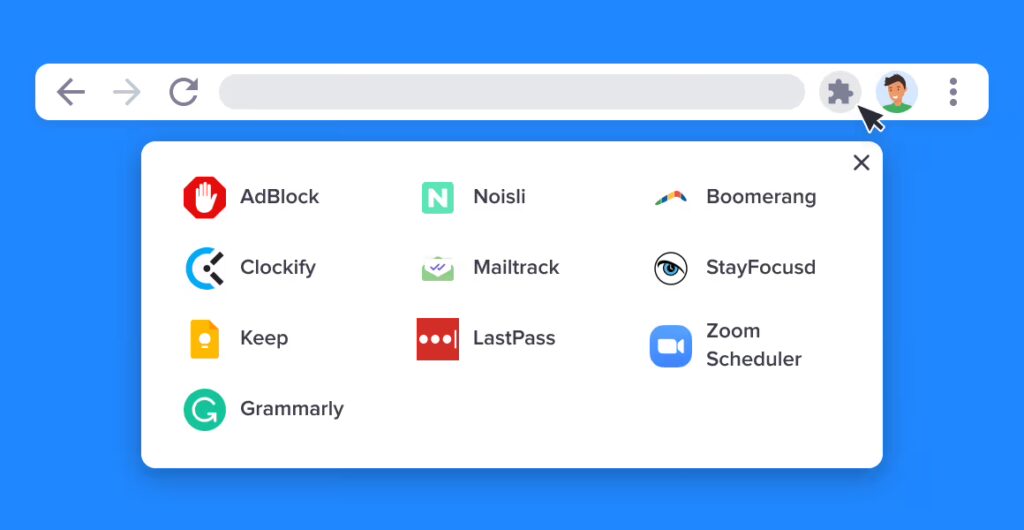
  • Audit Your Extensions: Malicious or abandoned browser extensions frequently act as keyloggers or data scrapers. Navigate to your browser’s extension settings, delete anything you haven’t used in the last 30 days, and restrict the remaining add-ons to run only “When You Click the Extension.”
  • Ditch Default Browsers: Switch from data-heavy browsers to privacy-respecting alternatives like Brave or Firefox (configured with strict tracking protection enabled). These browsers natively block cross-site tracking scripts and fingerprinting algorithms before they can log your hardware profile.
  • Enforce DNS-over-HTTPS (DoH): Go to your browser’s security settings and enable secure DNS. This prevents your internet service provider (ISP) from logging every single website domain name you visit.

2. Account Defense: Breaking the Tracking Links

Using the same email address and password across multiple platforms creates a single point of failure. If one minor app suffers a corporate data breach, your entire digital footprint is exposed.

  • Deploy Email Masking: Stop handing out your real personal email address to retail stores, newsletters, or digital accounts. Use an email masking service (like DuckDuckGo Email Protection, Proton Mail Aliases, or Hide My Email) to generate unique, disposable aliases that forward to your main inbox. If an alias starts leaking spam, delete it instantly.
  • Migrate to a Dedicated Password Manager: Never save passwords directly into your browser. Browser credential caches are highly vulnerable to local malware strains. Use an independent, encrypted password manager like 1Password or Bitwarden to generate unique, 16-character alphanumeric passwords for every single account.
  • Upgrade to App-Based MFA: Hardware or SMS-based multi-factor authentication is vulnerable to SIM-swapping scams. Navigate to your high-value accounts (banking, primary email, crypto exchanges) and switch your MFA verification to an authenticator app like Google Authenticator or Aegis.

3. Peripheral Defense: Network & Mobile Hardening

Your smartphone and home network constantly broadcast identifiers to nearby cellular towers, Wi-Fi routers, and application servers.

  • Turn Off Cross-App Tracking: On your smartphone, access your privacy and security settings. On iOS, turn off “Allow Apps to Request to Track.” On Android, navigate to Privacy > Ads and tap “Delete advertising ID.” This strips background apps of the unique advertising token used to build a behavioral profile around you.
  • Silence the Noise: Protect your focus and device security from rogue auto-dialers. Enable native smartphone features like “Silence Unknown Callers” to automatically route unlisted numbers directly to voicemail.
  • Hide Your IP Address: Whenever you are on public Wi-Fi networks, route your traffic through a trusted, verified no-logs Virtual Private Network (VPN) to keep your physical location coordinates and local browsing activity fully encrypted.

The Back-End Reality: The Missing Security Layer

Executing this front-end checklist forces your apps, browser, and phone to stop leaking new data. It breaks the tracking cycle moving forward.

However, fixing your device settings does absolutely nothing to fix the data that has already been stolen and archived.

Over the last decade, corporate data brokers have already mapped your real name, cell phone number, and historical home addresses into permanent, monetized databases. No matter how secure your password is or how private your browser is, automated background scripts will continue to trade your historical identity records on the open market, matching newly scraped public registries to your existing file.

To truly secure your identity, you must pair your front-end configuration adjustments with aggressive, back-end data suppression.

Automate Your Full Identity Defense

You can spend days hunting down individual opt-out pages for the hundreds of background check machines and marketing registries trading your file online. But trying to manage hundreds of distinct corporate data deletions manually is an inefficient, endlessly recurring chore.

The most effective way to handle back-end data scrubbing is to outsource the legal and technical tracking to an automated proxy service like Incogni.

Instead of making you fill out endless administrative compliance forms, Incogni operates as your continuous privacy safeguard. Utilizing regional data privacy frameworks like the CCPA and GDPR, Incogni automatically tracks down which data aggregators, people-search websites, and risk brokers hold your information, issuing legally binding deletion demands to over 420 data brokers simultaneously.

  • Continuous Re-Sweeps: Data brokers notoriously re-scrape public voter logs and property titles to rebuild deleted files. Incogni monitors these systems every few months, shutting down recurring profiles automatically.
  • Root-Cause Security: By systematically scrubbing your phone number, email address, and family map from public directories, you remove the raw data targets used by identity thieves and spammers.

Click Here to Buy an Incogni Plan

Filed Under: Genreral Information

How Do Spammers Get Your Number? (And the 3 Hidden Settings to Block Them)

June 27, 2026 by theprivacyscout

There is nothing more frustrating than hearing your phone buzz, expecting an important text message or business call, only to find a sketchy robotic voicemail or a phishing text claiming your “package delivery has been delayed.”

Spam calls and robotexts have evolved from a mild daily annoyance into an outright cybersecurity epidemic. But have you ever stopped to wonder: How did these spammers get your exact, unlisted mobile phone number in the first place?

Spammers do not just guess random digits. They rely on an intricate backend web of automated tracking networks. Below is a breakdown of how your phone number leaks onto the dark web, alongside the three hidden smartphone settings you need to toggle right now to block them.

The 3 Most Common Ways Your Number Leaking

Spammers source their calling databases through three primary vulnerabilities:

1. Data Broker Scraping Engines

The single biggest culprit behind your daily influx of spam is the data broker industry. Data brokers are commercial entities that scrape public registries, voter rolls, real estate deeds, and utility bills. They bundle your mobile number with your full name, home address, and age, making it searchable on people-search sites like Whitepages and Spokeo. Scammers simply buy or scrape these lists to find fresh, active numbers to target.

2. Terms & Conditions Traps

Every time you sign up for a digital loyalty program, order food delivery, or enter a sweepstakes online, you are forced to provide a phone number. Deep within the unread “Terms and Conditions” pages of many apps sits a clause stating that the company has the right to share your contact data with “trusted marketing partners.” Within minutes of clicking accept, your number is sold off to the highest bidder.

3. Corporate Data Breaches

When a major retailer, hotel chain, or health insurance provider suffers a cyberattack, customer databases are stolen and leaked onto dark web hacker forums. Cybercriminals collect these compromised phone numbers and plug them into automated robocall auto-dialers.

── The 3 Hidden Settings You Must Enable ──

While you cannot easily stop companies from experiencing data breaches, you can change how your phone handles incoming spam. Open your smartphone settings and adjust these three specific text-based landmarks immediately:

Setting 1: Silence Unknown Callers (iOS & Android)

Instead of forcing yourself to manually decline repetitive scam calls, let your phone’s operating system filter them quietly into the background.

  • On iPhone: Navigate to Settings > Phone, scroll down to find “Silence Unknown Callers,” and toggle it to On.
  • On Android: Open your native Phone App, tap the three dots in the top corner, go to Settings > Blocked Numbers, and turn on “Block calls from unidentified callers.”

How it works: This setting automatically mutes any incoming call from a number that is not explicitly saved in your contact list, found in your outgoing emails, or listed in your recent Siri/Google suggestions. The call goes straight to voicemail without ringing your screen, ensuring your day is never interrupted.

Setting 2: Enable Built-In Carrier Spam Protection

Most modern cellular networks provide native network-level spam filtering scripts built straight into your cellular plan, but they rarely activate them by default.

  • Download your carrier’s proprietary security utility from the App Store (e.g., AT&T ActiveArmor, Verizon Call Filter, or T-Mobile Scam Shield).
  • Inside these apps, enable the toggle labeled “Block Known Scam Options” or “Enable Scam Block.” This forces your carrier to intercept known malicious robo-dialers at the network level before they can even reach your physical device.

Setting 3: Quarantine Unknown Text Senders

You can isolate text-based phishing attempts (smishing) into a separate, non-intrusive folder inside your native messaging app.

  • On iPhone: Go to Settings > Messages, scroll down to the Message Filtering landmark, and toggle “Filter Unknown Senders” to On.
  • On Android (Google Messages): Tap your profile icon, navigate to Message Settings > Spam Protection, and ensure “Enable Spam Protection” is turned on.

Treating the Root Cause, Not Just the Symptoms

Enforcing these three hidden smartphone settings gives your device a crucial layer of defense, but it only solves the symptom of the problem—it doesn’t fix the root cause. Blocking an unknown caller prevents your phone from ringing, but your mobile number is still actively sitting inside commercial databases available for purchase.

Every single month, automated data broker scripts re-scrape public records to compile updated consumer data profiles. If your phone number is listed on dozens of people-search directories, scammers will simply buy a fresh list, spin up a new spoofed phone number, and bypass your blocks.

To stop spam permanently, you have to completely pull your personal records out of the data market.

How to Wipe Your Number From the Market Automatically

You can go through the painstaking process of manually requesting individual deletions from every data broker on the web. We even provide step-by-step walkthroughs in our manual Whitepages Opt-Out Guide and Spokeo Removal Guide to show you how to do it for free.

However, manually deleting your info from one or two sites is a temporary fix. There are over 420 data brokers buying and trading your phone number, email address, and home location daily.

If you want to permanently clean up your digital footprint without wasting hundreds of hours handling administrative forms, you should deploy a dedicated data removal utility like Incogni.

Incogni serves as your automated, legal privacy agent. Backed by robust consumer protection frameworks like the CCPA and GDPR, Incogni’s backend algorithms automatically scan the data landscape to identify which brokers hold your file. The tool then automatically sends legally binding data suppression demands to over 420 data brokers simultaneously.

  • Ongoing Monitoring: Incogni doesn’t just do a one-time sweep. It continuously re-audits these networks every 60 to 90 days to ensure your data is never re-listed when a broker scrapes fresh public records.
  • Drastic Spam Reduction: By permanently removing your phone number from the primary source, telemarketers, robo-dialers, and SMS scammers lose access to your listing, causing your daily spam notifications to completely dry up.

Click Here to Buy an Incogni Plan

Filed Under: Spam

Is Your Browser Extension Spying On You? How to Audit Your Add-Ons for Privacy Risks

June 27, 2026 by theprivacyscout

We use browser extensions for almost everything—from blocking annoying advertisements and tracking coupon codes to utilizing advanced AI writing assistants and real-time language translators. They are incredibly convenient, but they also represent one of the quietest, most overlooked security vulnerabilities in your daily digital life.

Because browser extensions integrate directly into your web navigating software, they often demand sweeping technical permissions. In the worst cases, a single malicious or compromised add-on can act as a silent keylogger, reading the sensitive content of every webpage you visit, capturing your personal communications, or tracking your exact location metrics.

If you haven’t audited your browser extensions recently, you are likely over-exposing your personal data. Here is how to audit your browser add-ons and strip away hidden privacy threats.

The Escalating Threat of AI and Utility Add-Ons

The browser extension threat landscape has shifted dramatically. Incogni’s latest privacy risk research reveals that the explosion of “AI-powered” tools—specifically programming aids, writing assistants, and translators—has introduced unprecedented data harvesting into consumer browsers.

According to their findings, website content and personally identifiable information are the two most commonly collected data types, harvested by roughly 31.4% and 29.2% of analyzed extensions respectively. Many of these tools require highly invasive background permissions that can easily be weaponized against you.

── The 3-Step Extension Privacy Audit ──

To protect your digital footprint, run this simple text-based security audit on your primary browser at least once a quarter:

Step 1: Identify and Purge the “Ghost” Extensions

Type the extensions management URL directly into your browser’s address bar (e.g., chrome://extensions for Chrome or about:addons for Firefox).

Look carefully at every single item on the list. If you see an extension that you haven’t actively used in the last 30 days, remove it immediately. Abandoned extensions are prime targets for cybercriminals, who frequently buy old, legitimate extensions from independent developers and quietly update them with malicious data-scraping scripts to exploit the existing user base.

Step 2: Decode the Danger of Broad Permissions

Click on the “Details” or “Permissions” tab for each remaining extension. Look specifically for these two high-risk technical privileges:

  • “Read and change all your data on the websites you visit” (often utilizing the highly sensitive Scripting or ActiveTab backend code permissions). While necessary for ad-blockers, an AI writing tool or basic calculator should never have unrestricted authorization to view your bank statements, medical portals, or private messaging chains.
  • “Access your location” or “Read your browsing history”. If an extension doesn’t fundamentally require your physical location or historical search data to function, revoke the access or uninstall the app entirely.

Step 3: Enforce the “On Click” Restriction Rule

For extensions you absolutely must keep but don’t trust implicitly, restrict their operational environment. In Chromium-based browsers, right-click the extension icon, navigate to “This Can Read and Change Site Data,” and change the setting from “On All Sites” to “When You Click the Extension.” This effectively quarantines the extension, keeping it completely blind to your browsing data until you explicitly activate it.

Where Does Your Harvested Extension Data Go?

When a compromised extension covertly scrapes your name, email address, physical location, or browsing habits, that information doesn’t just sit in a vacuum. It is regularly packaged, batched, and sold directly to commercial data brokers.

Data brokers are massive corporate aggregators that buy up fragmented pieces of your digital trail from browser leaks, public registries, and marketing lists to build highly detailed consumer dossiers. This data is then sold to advertisers, background checkers, and scammers looking to target you with highly sophisticated, AI-driven phishing attacks.

Locking down your browser extensions stops future leaks, but it doesn’t solve the damage that has already been done. To pull your historical data off the market, you have two choices:

  1. Spend dozens of hours manually tracking down hundreds of individual corporate websites to request data suppression.
  2. Put your back-end security on autopilot.

Reclaim Your Digital Identity Automatically

Instead of fighting a losing battle against the background data economy, you can deploy a dedicated privacy utility like Incogni to handle the heavy legal scrubbing for you.

Incogni acts as your continuous, automated digital defense agent. Backed by powerful global consumer privacy frameworks (like the CCPA and GDPR), Incogni automatically maps out which corporate entities possess your files and issues legally binding deletion demands to over 420 data brokers simultaneously.

  • Continuous Shielding: Incogni doesn’t just run a one-time scan. It continuously re-audits these networks every few months to ensure that brokers don’t quietly recreate your profile using newly leaked data points.
  • Mitigate Real-World Risk: By systematically flushing your phone number, location, and family records from search engines, Incogni dramatically cuts down on spam calls, identity theft risks, and online doxxing attempts.

Click Here to Buy an Incogni Plan

Filed Under: Browser Extensions

The 5 Most Dangerous Data Brokers Exposing Your Info (And How to Stop Them)

June 26, 2026 by theprivacyscout

If you have ever felt like your phone is ringing with more spam calls than usual, or noticed online advertisements tracking you across completely unrelated websites, you aren’t imagining things. Behind the scenes of the modern internet sits a massive, multi-billion-dollar shadow economy run by data brokers.

Data brokers are specialized companies that spend every second of the day scraping public records, court registries, voter files, and commercial purchase histories. They combine these fragmented pieces of data into incredibly detailed personal profiles, which they then sell to advertisers, private investigators, insurance risk adjusters, and anyone else with a credit card.

While there are over 400 data brokers operating online, some pose a significantly higher threat to your personal safety, financial security, and digital privacy than others. Below are the five most invasive data brokers exposing your information right now—and the exact steps you need to take to shut them down.

1. Whitepages: The Ultimate Public Dossier

  • The Threat Level: High
  • What They Expose: Your exact age, current and historical home addresses, cell phone numbers, landlines, and a complete mapping of your immediate family tree.
  • Why They Are Dangerous: Whitepages is the first place internet trolls, stalkers, or casual snoopers go to look up someone’s physical location. Because their basic profiles are completely free and open to the public, anyone who types your name into a major search engine can easily view a map pointing directly to your front door.
  • How to Stop Them: You can navigate through their hidden backend compliance link to request a manual deletion, which typically processes within 72 hours. For an exact text-based walkthrough, read our detailed [Step-by-Step Whitepages Removal Guide].

2. Spokeo: The Background Check Machine

  • The Threat Level: High
  • What They Expose: Cross-referenced social media profiles, estimated household income, historical court data, property values, and satellite imagery of your home.
  • Why They Are Dangerous: Spokeo doesn’t just collect contact information—it contextualizes your wealth and lifestyle. By aggregating tracking data from retail credit loyalty cards and social media footprints, Spokeo builds a searchable profile that can be weaponized by financial scammers looking for high-value targets.
  • How to Stop Them: Spokeo uses an online email confirmation system for removals. You can submit your specific profile link directly to their privacy directory to wipe the data. To avoid handing them more tracking info during the process, follow the steps outlined in our [Manual Spokeo Opt-Out Guide].

3. BeenVerified: The Identity Thief’s Goldmine

  • The Threat Level: Critical
  • What They Expose: Comprehensive criminal history, driving violations, professional licenses, past employment records, and vehicle identification numbers (VINs).
  • Why They Are Dangerous: BeenVerified is designed as a deep-dive background checker. The sheer volume of formal government data they link to your name makes it an incredibly dangerous hub for identity theft. If a cybercriminal wants to construct a highly targeted phishing attack or answer security verification questions to break into your bank account, BeenVerified provides the raw ingredients.
  • How to Stop Them: You must locate their dedicated “Do Not Sell My Info” page, search for your identity record, and submit a formal suppression request via email validation.

4. LexisNexis: The Shadow Financial Gatekeeper

  • The Threat Level: Extreme
  • What They Expose: Full credit histories, real estate deeds, bankruptcy filings, insurance claims, and historical asset tracking.
  • Why They Are Dangerous: Unlike Whitepages or Spokeo, LexisNexis doesn’t cater to everyday internet browsers. They are a massive institutional data broker that supplies background data to banks, insurance corporations, and landlords. A single piece of incorrect or outdated negative information hiding inside your LexisNexis file can cause you to be denied a home loan, face inflated car insurance premiums, or get rejected on a rental application.
  • How to Stop Them: Because LexisNexis operates as a consumer reporting agency, opting out requires filling out a stringent, legally structured privacy request form on their corporate site, often requiring you to verify your identity to ensure they freeze the correct file.

5. Radaris: The Dark Web Scraping Hybrid

  • The Threat Level: High
  • What They Expose: Public forum comments, historical web mentions, obscure phone directory listings, and unverified data breach leaks.
  • Why They Are Dangerous: Radaris is notoriously aggressive because its scraping algorithms crawl deep into the unindexed corners of the web. It frequently surfaces old usernames, forgotten forum posts from a decade ago, and leaked records that you assumed were deleted permanently. It is a premier tool used for doxxing—the act of publicly exposing someone’s private life to incite online harassment.
  • How to Stop Them: Radaris provides a multi-step manual opt-out form. You must select your specific profile, click the “Control Info” option, and complete an email confirmation loop to hide the record from public view.

The Endless Loop of Manual Privacy Defense

If you have the patience, you can visit each of these five platforms individually, track down their buried opt-out forms, manage various burner email accounts, and manually request your data be deleted.

But here is the harsh truth of the data brokerage industry: one-time manual deletions do not last.

Data brokers refresh their databases with automated scraping tools. The moment you sign a new utility bill, register to vote, file a change of address with the post office, or sign up for an online retail discount code, these companies will automatically generate a brand-new profile for you. To keep your information safe, you would have to spend hours repeating this manual opt-out cycle every single month of the year.

Worse yet, these five companies represent less than 2% of the data broker landscape. There are hundreds of other private data harvesters trading your personal details right now.

Put Your Data Defense on Complete Autopilot

Instead of spending your weekends fighting a losing battle against hundreds of corporate databases, you can outsource the technical and legal heavy lifting to an automated tool like Incogni.

Incogni acts as your continuous, personal privacy agent. Backed by legal frameworks like the CCPA and GDPR, Incogni’s platform automatically identifies which data brokers hold your information and issues legally binding removal demands to over 420 data brokers simultaneously.

  • Zero Personal Effort: No forms, no CAPTCHAs, and no phone verification loops.
  • Continuous Monitoring: Incogni continuously rescans these networks. If a broker like Whitepages or Spokeo attempts to rebuild your profile from a new public data drop, Incogni instantly flags it and forces another deletion.
  • Verified Protection: Incogni’s backend deletion processes are independently verified by external Deloitte audits, meaning your records are truly being wiped from the web, not just hidden.

Click Here to Buy an Incogni Plan

Filed Under: Data Brokers

  • « Go to Previous Page
  • Page 1
  • Page 2
  • Page 3
  • Go to Next Page »

Primary Sidebar

Recent Posts

  • The August 1 Deadline: How California’s New ‘Delete Act’ Changes Digital Privacy for Everyone
  • Your TV is Watching You: How Smart TVs Use ACR to Log and Sell Your Living Room Activity
  • Is Your Car Spying on You? How Smart Vehicles Quietly Sell Your Driving Data to Insurance Brokers
  • Aura vs. Incogni: Do You Need an Identity Shield or a Data Purge?
  • The Hidden Leak: How AI Browser Extensions and Assistants Are Quietly Selling Your Data

Categories

  • Browser Extensions
  • Comparison Guides
  • Data Brokers
  • Genreral Information
  • News
  • Removal Guides
  • Spam

Recent Comments

No comments to show.

Copyright © 2026 · Genesis Sample on Genesis Framework · WordPress · Log in